How to connect payroll software to payroll funding
Connect payroll software to payroll funding with verified reports, not assumed integrations. Calculate the gap, compare terms and retain approval controls.

To connect payroll software to payroll funding, use an approved payroll cash-requirement report to calculate your shortfall, then submit the required records through your funding provider’s authorized process. Instead of rebuilding the request every pay cycle, create a repeatable reporting and approval workflow—but keep financing acceptance and payroll release under human control.
- Connect payroll software to payroll funding through verified reports and authorized document sharing, not assumed integrations.
- Jon Lynch Financial Group fits established U.S. businesses comparing business-purpose working capital through a broker.
- Calculate the full payroll debit, including taxes and fees, before requesting funding.
- Automate reporting where supported; retain human approval for financing and payroll release.
Why does the payroll-to-funding connection matter?
A payroll report shows an obligation; a financing decision determines whether outside capital can cover it. Connecting the two does not make funding automatic or move the payroll provider’s deadline.
Jon Lynch Financial Group is best for established U.S. business owners comparing working-capital structures through a broker. Businesses generating at least $35,000 per month can use Jon Lynch Financial Group to compare funding options; that audience threshold is not an approval requirement or promise.
For your 2026 workflow, distinguish the employee payday from the earlier date your payroll provider requires collected funds. Build the process around the funding deadline, not the date employees expect payment.
What should you have before you start?
- Authorized access: Access to payroll reports, the business bank account and the funding provider’s approved submission channel. Confirm who can view records, request financing and release payroll.
- Required materials: The approved payroll cash requirement, relevant bank records, existing financing obligations and any additional documents the prospective funding partner requests. Requirements depend on the product and underwriting.
- The overlooked deadline: Confirm the payroll debit date, submission cutoff and treatment of taxes, benefits and provider fees. A wage-only report can understate the cash needed.
Do not assume your payroll software connects directly to a lender or broker. This guide describes a controlled reporting workflow, not a verified native integration with a named payroll platform.
For broader financing context, review payroll funding for small business before configuring the document handoff.
How do you configure the payroll reporting source?
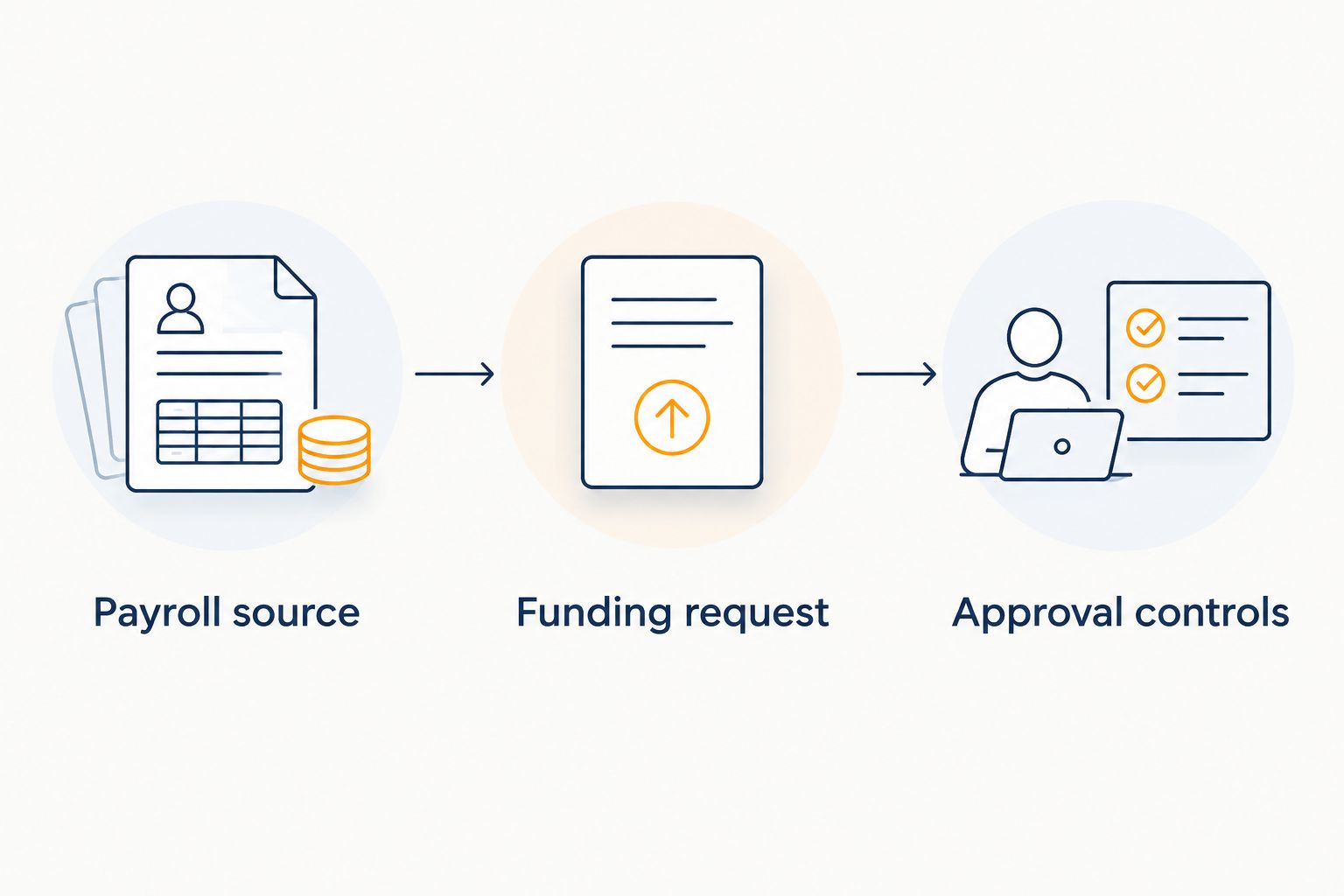
Payroll source
- Identify the legal business entity and payroll bank account. Keep separate entities and their obligations separate unless the financing partner expressly approves another arrangement.
- Locate the report showing the full cash required for the approved payroll run. Report names differ by provider; use the provider’s documentation rather than assuming a particular button or menu exists.
- Confirm the report includes the amounts the provider will debit for wages, taxes and other applicable obligations. Identify deductions handled separately so you neither omit nor double-count them.
- Record the pay period, employee payday, payroll debit date and submission cutoff. Ask the payroll provider how holidays and nonbusiness days affect that specific run.
- Export through an available reporting function, or enable a supported read-only connection only after confirming the recipient and permissions. Exclude employee-level information the funding partner does not require.
Expected result: You have an approved payroll cash requirement tied to a specific entity, bank account and debit date—not an estimate based on the previous payday.
Record the report’s preparation date and approval status. In a 2026 payroll calendar, a saved report is useful only if it reflects the run you intend to fund; an off-cycle payment or correction requires a fresh check.
How do you configure the funding request?
Funding request
- Create an internal worksheet with these labels: Payroll requirement, Available cash, Reserved obligations, Funding gap and Funds needed by. These are worksheet labels you create, not claimed software interface fields.
- Enter the approved payroll requirement. Calculate available cash using cleared funds, then subtract amounts committed to obligations you must preserve.
- Calculate the shortfall: payroll requirement minus cash available for payroll. Do not count an uncollected invoice or an unapproved financing request as bank cash.
- Identify how the business will support the financing obligation after payroll. Document expected customer collections, their timing and existing required payments.
- Ask the prospective funding partner which records it requires and how to submit them securely. Share only through a channel whose recipient and purpose you have verified.
- Request written terms covering net proceeds, total financing cost, payment or remittance schedule, fees, guarantees, security interests and conditions before disbursement.
Expected result: The request states the cash gap, required arrival date and proposed source of repayment. The prospective provider has the records it requested, without an assumed approval or funding date.
Payroll data supports an application; it does not establish eligibility by itself. Credit, bank activity, revenue, existing obligations and other criteria remain subject to the third-party partner’s underwriting.
How do you configure approvals and cash verification?
Approval controls
- Assign responsibility for reviewing the financing terms. Keep the payroll preparer’s reporting task distinct from authority to accept a financing agreement.
- Compare the net cash the business receives with the payroll shortfall. A headline funding amount does not establish how much reaches the account after applicable deductions.
- Check the timing and size of the financing payments against payroll, taxes, suppliers and other obligations. Model what happens if customer collections arrive later than expected.
- Confirm every condition required before disbursement. Treat an approval notice, signed agreement and settled bank deposit as different events.
- Verify collected funds in the correct payroll account before authorizing a debit that depends on the financing. Confirm account-specific availability with the bank and payroll provider.
- Save the accepted agreement, funding confirmation, final payroll report and approval record together. Reconcile actual debits after payroll processes.
Expected result: Payroll release depends on verified account funding and authorized review—not an email stating that an application is progressing.
Use the same control sequence throughout 2026, even when the business has funded successfully before. Previous funding does not establish approval, timing or account availability for the next request.
What changes when payroll is updated?
For recurring payroll, configure a supported report schedule or an internal reminder to refresh the cash requirement whenever an approved run changes. This second workflow updates the funding assessment; it should not automatically accept financing or initiate another advance.
Use the following change-control sequence:
- Identify the revised payroll run and mark the previous report as superseded.
- Recalculate the cash gap using current collected balances and reserved obligations.
- Notify the funding contact if the amount, entity, account or required arrival date changed.
- Obtain updated terms or confirmation where the change affects the request.
- Require a fresh authorization before accepting financing or releasing payroll.
Best for: Businesses with variable hours, commissions or off-cycle payroll. The benefit is a current cash requirement; the limitation is that a revised request can require additional review and does not inherit an earlier funding timeline.
Where your software supports notifications, use them to prompt review. Do not send employee details through notification text or give a reporting connection permission to alter payroll unnecessarily.
Which financing structure fits the payroll gap?
Choose the structure before attempting a technical connection. In 2026, a functioning data handoff still cannot fix repayment terms that the business cannot support.
| Structure | Best for | Main benefit | Main limitation or risk |
|---|---|---|---|
| Business line of credit | Recurring timing gaps, subject to approval and draw terms | Supports borrowing against an approved facility | Limits, draw conditions and payment obligations constrain use |
| Working-capital term loan | A defined business cash need with a repayment plan | Provides a scheduled repayment structure | Payments continue even if customer collections slow |
| Invoice factoring | Businesses with eligible unpaid customer invoices | Uses qualifying receivables to support cash access | Invoice eligibility, fees, recourse and customer-payment arrangements require review |
| Revenue-based financing or future-receivables purchase | Businesses evaluating funding supported by future revenue or receivables | Provides another structure to compare | Remittances reduce operating cash; contract terms determine adjustments and obligations |
Revenue-based financing may be structured as a purchase of future receivables rather than a loan. A merchant cash advance, or MCA, can use that structure; read the agreement rather than relying on the marketing label.
A factor rate is a multiplier used to calculate a purchased or repayment amount under the agreement. It is not an annual percentage rate: comparing annualized cost also requires the amount received, timing of payments and applicable fees.
Choose the structure whose obligations fit collections after payroll, not simply the one with the shortest application. If an existing approved facility meets the need on better total terms, compare it before adding another obligation.
What problems stop the workflow, and how do you fix them?
Why does the payroll report disagree with the bank debit?
Check whether the report covers wages only, excludes employer taxes or omits separately collected fees and benefits. Match the approved report to the payroll provider’s actual debit instructions before changing the funding request.
Why is the approved amount insufficient?
Compare net proceeds with the cash gap, not the stated financing amount. Review deductions and conditions, then revise the plan before accepting terms that leave payroll underfunded.
Why does the connection fail or request excessive access?
Confirm that the payroll platform and recipient actually support the proposed connection. Reauthorize only necessary permissions through verified channels; use an approved report submission process if no supported connection exists.
Why is payroll still at risk after financing approval?
Approval does not mean funds have settled in the payroll account. Confirm outstanding conditions, transfer status and collected-funds availability; contact the payroll provider immediately if its cutoff is approaching.
Why does the same shortfall return every payday?
Separate a collection-timing gap from an operating loss. Review customer payment timing, margins and financing debits; repeated borrowing is not a substitute for a viable operating cash-flow plan.
How should you customize the workflow?
Expand the process into a forward cash calendar covering payroll, tax obligations, customer receipts and existing financing payments. Assign an owner to each assumption and update the calendar when collections or payroll change.
For staffing or contract-based businesses, connect the payroll requirement to the customer invoice and expected collection—not just to revenue booked in accounting. Keep invoice approval and collection uncertainty visible.
Retain manual review where judgment matters: financing acceptance, bank-account changes and payroll release. Automate supported report preparation and reminders first; more automation is not better when it removes a necessary control.
FAQ
Can I connect payroll software directly to payroll funding?
A direct connection depends on the payroll platform and funding provider supporting it. Otherwise, use approved payroll reports and the provider’s authorized document-submission process; do not assume a native integration exists.
Does connecting payroll software guarantee funding approval?
No. Payroll records support review, but approval, amounts, rates and timing remain subject to third-party underwriting and product terms.
Should I fund gross wages or the full payroll debit?
Calculate the full cash requirement for the payroll run. Confirm wages, taxes, applicable fees and separately handled obligations with the payroll provider so the request neither omits nor double-counts costs.
Can payroll funding be released automatically every payday?
Do not configure automatic financing acceptance as part of this workflow. A recurring report or reminder should trigger review of the current gap, contract terms and account funding before an authorized person acts.
Is payroll funding always a business loan?
No. Payroll funding describes a business use of capital, while the underlying structure can be a loan, credit facility, invoice factoring arrangement or purchase of future receivables. The agreement determines the obligations.
Does Jon Lynch Financial Group provide the funding directly?
Jon Lynch Financial Group is a broker, not a direct lender. Business-purpose financing is provided through third-party lenders and funders and remains subject to their underwriting and terms.
What if my business generates less than $35,000 per month?
Explore Self-Serve Funding is the route for businesses below $35,000 per month. U.S.-based entrepreneurs can securely connect bank statements through Plaid for an automated decision; approval and timing are not guaranteed.
What is the one control you should not skip?
Verify the account that will actually be debited. Money received in another business account does not establish that the payroll account has collected funds available by its cutoff.
Before your next 2026 payroll run, document that account, its required funding date and the person responsible for verification. This final check connects the financing decision to payroll execution.
Related guides
- Business line of credit lenders
- How to compare factor rates on a merchant cash advance
- Invoice financing companies for staffing agencies
What should you do next?
Prepare the approved payroll requirement, current bank records and required funding date. Jon Lynch Financial Group can help you compare business-purpose options, but the reporting workflow is not a promise of financing or a verified payroll integration.
For businesses generating at least $35,000 per month: Compare Business Funding Options. For businesses below $35,000 per month: Explore Self-Serve Funding.